


Digital Signs (Step-by-step navigation)
Clear visual and auditory directions, guiding users through the hospital from start to finish. With real-time updates, digital signs and 3D landmarks, it ensures a smooth and effortless navigation experience.

Eye-In Media’s healthcare Wayfinder is tailored for hospitals, hospital networks, and clinics, combining self-service navigation, virtual assistants, 3D maps, and HIPAA-compliant data handling.
The solution provides an interactive hospital department directory, quick access to the most visited clinical services and departments, and clear turn-by-turn hospital navigation. Visitors can scan a QR code or use their mobile device for step-by-step guidance, improving operational efficiency and enhancing the patient and visitor experience in healthcare settings.

« An easy way to help disoriented patients find their way »
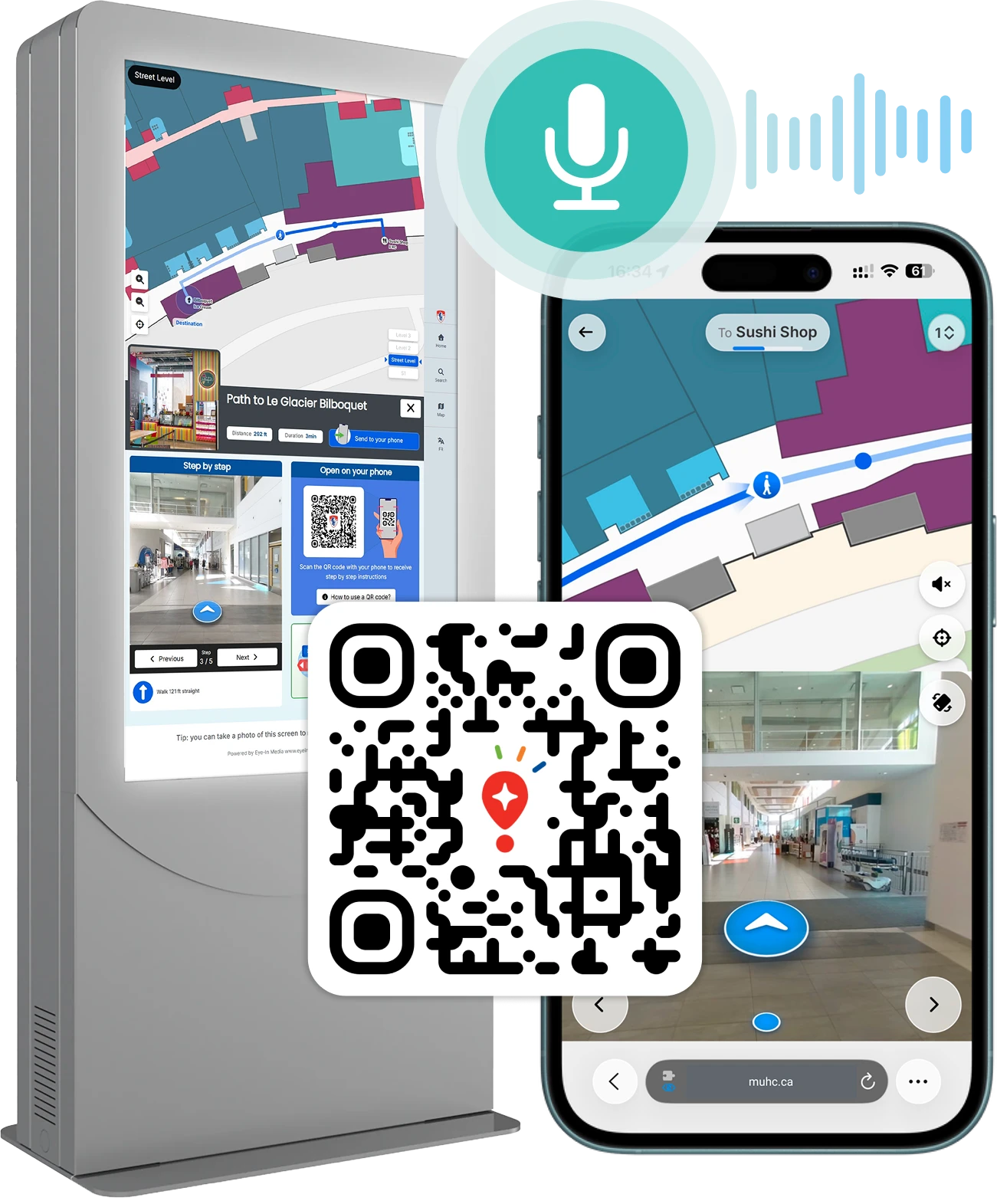






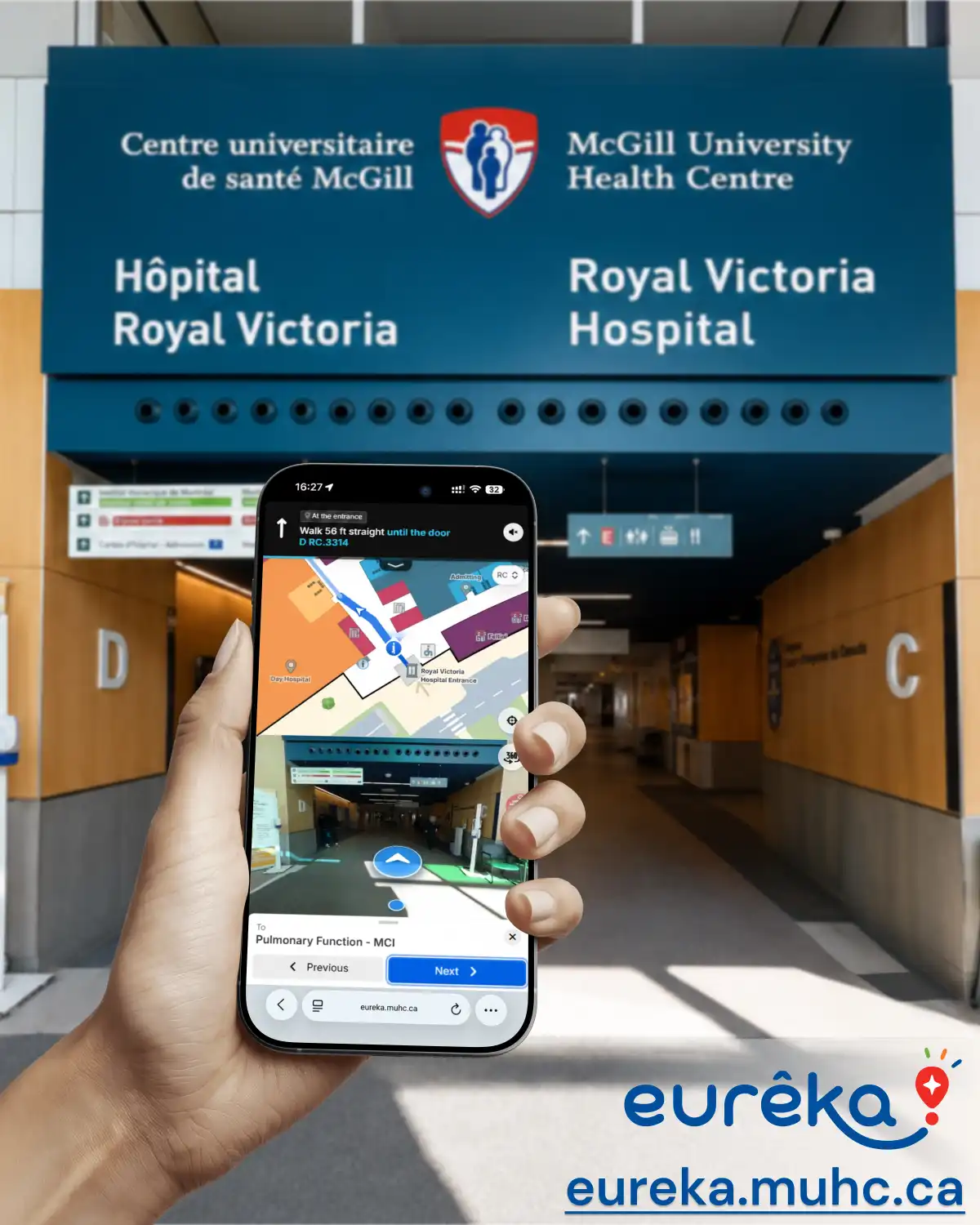
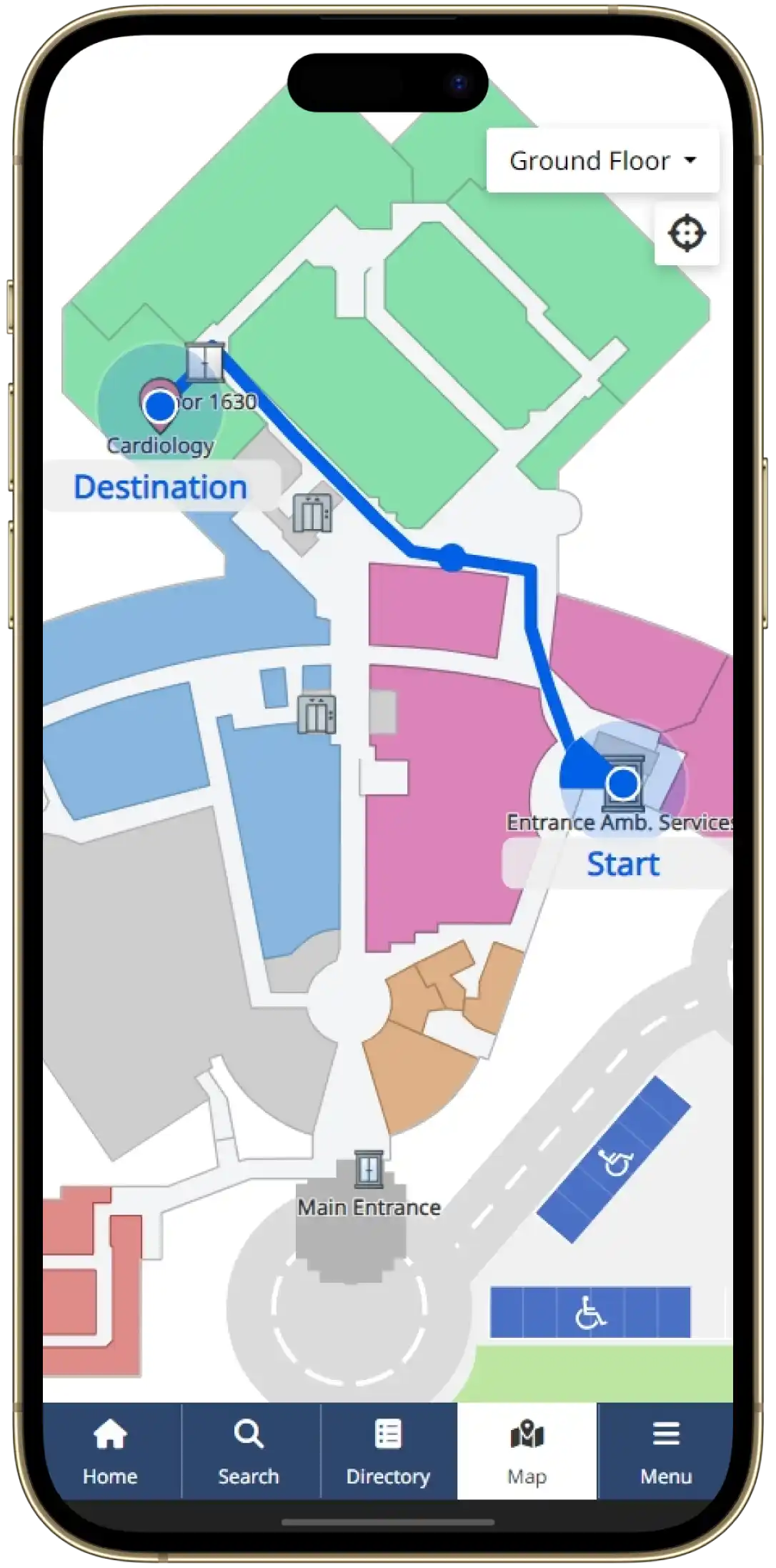
Eye-In Media created the new Eurêka digital wayfinder for the McGill University Health Centre Glen site. The platform guides patients through Blocks C and D with blue-dot navigation, clear mobile directions, and access from home or on-site with no app download. Patients can plan routes to adult outpatient services, high-traffic areas, and even underground parking.
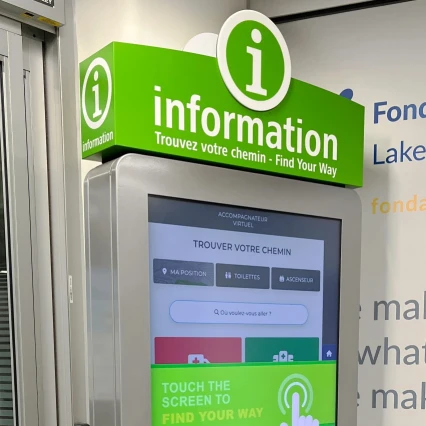
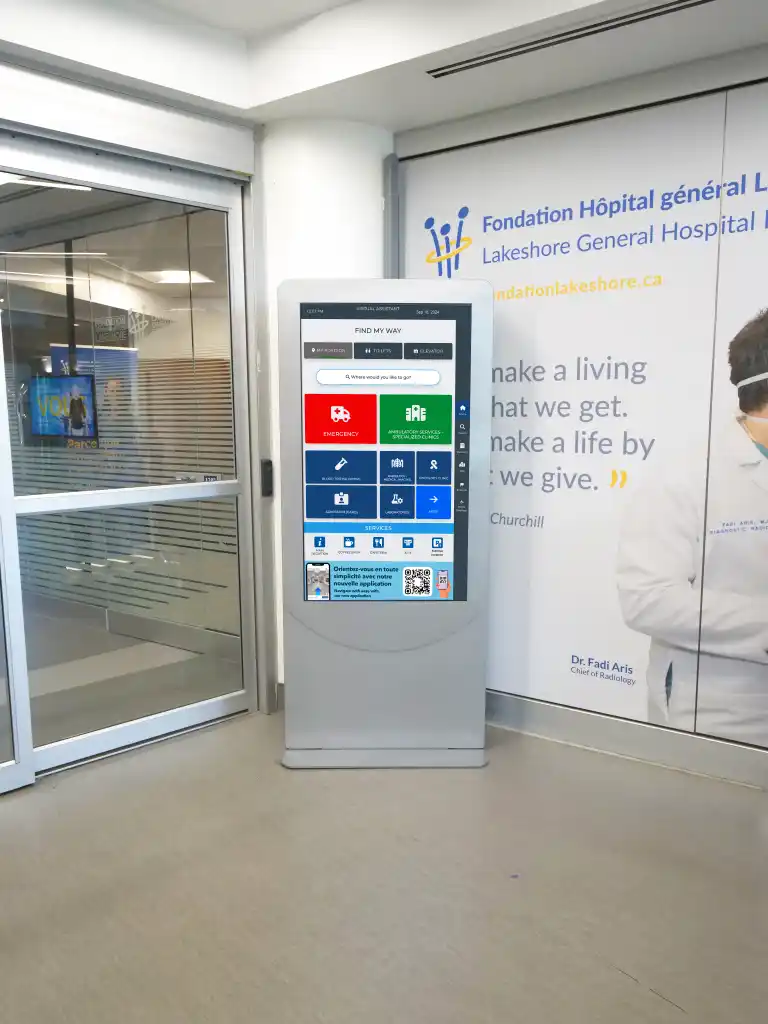
At Lakeshore General Hospital, Eye-In Media deployed an interactive hospital wayfinding solution that helps patients and visitors find departments, clinics, appointments, and key services faster. The system combines a touch-screen kiosk, digitized floor plans, QR code handoff, and mobile directions for clearer navigation inside a complex healthcare facility.
« This is amazing! I’m pregnant and often have to go to the hospital and I get a little nervous and anxious when I can’t find my way, this virtual map really helped finding my way around to the different offices I had to go to. They should do this for every appointment location! If I could give more stars I would! Very very helpful thank you! »

Google Maps tells you which road to take. Street View shows you what the corner looks like before you get there, so you recognize it when you arrive. Eye-In works the same way inside a hospital. The map draws the route from the entrance to cardiology on floor 4. The 360 views show the actual corridor, the actual elevator zone and the actual door of the clinic, photographed on site. A patient who has never set foot in the building sees the landmarks before walking toward them.
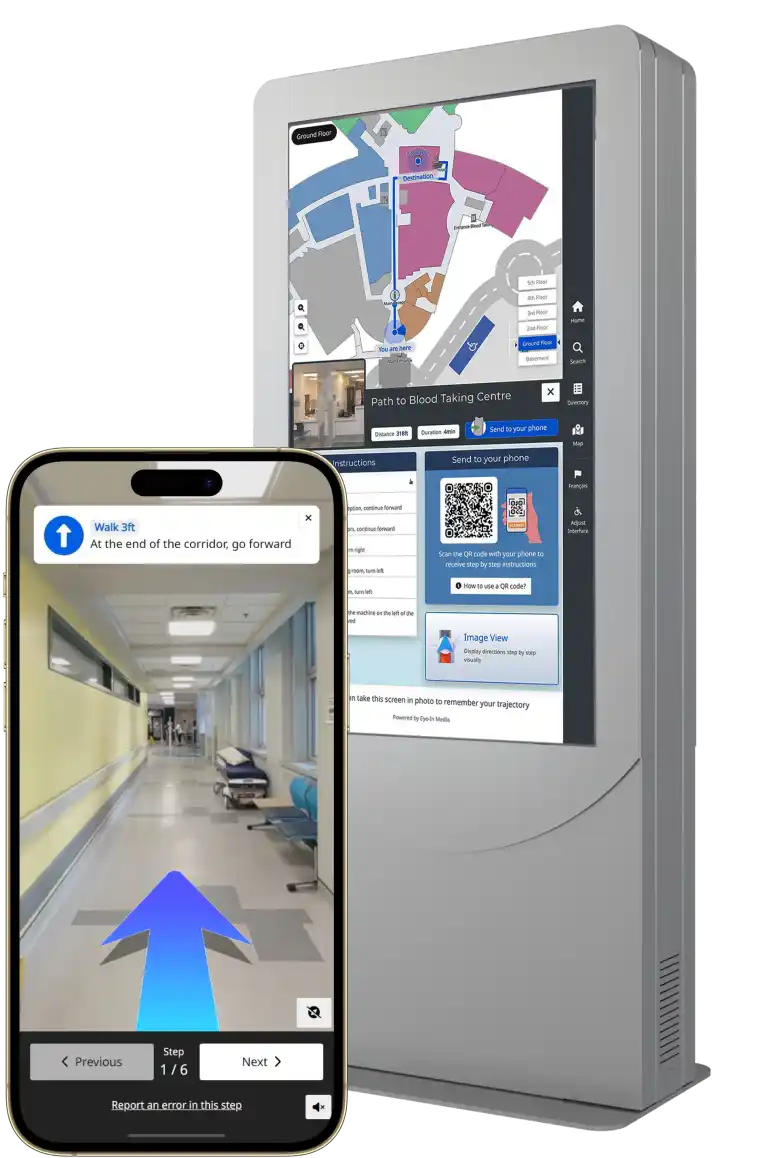
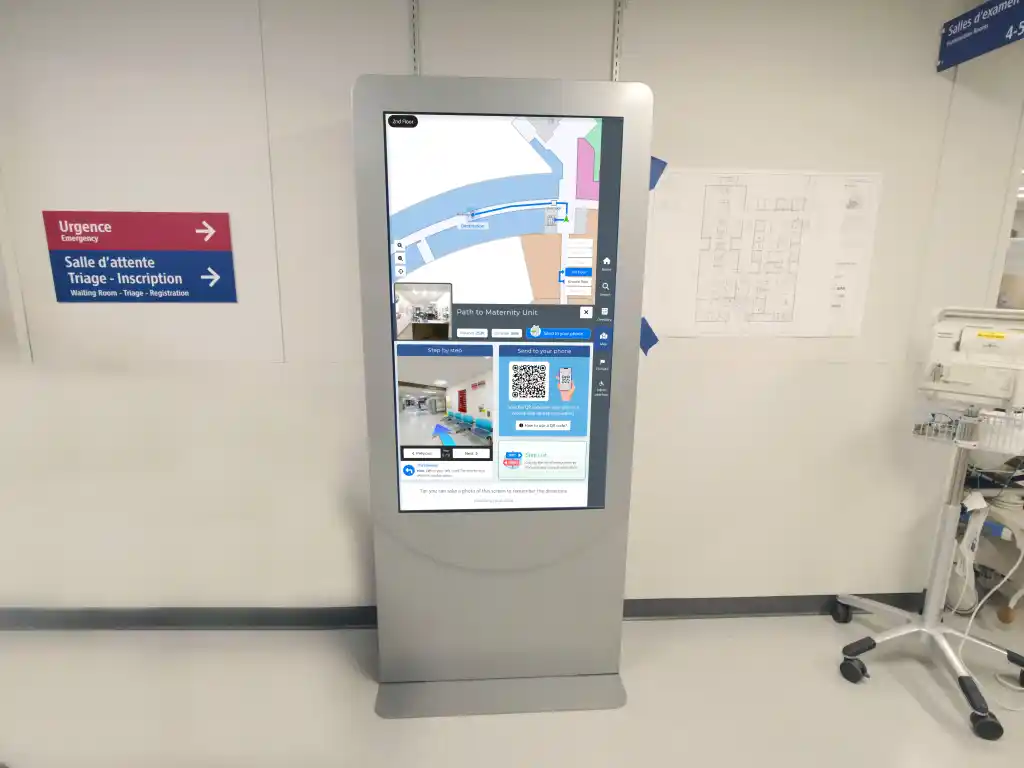
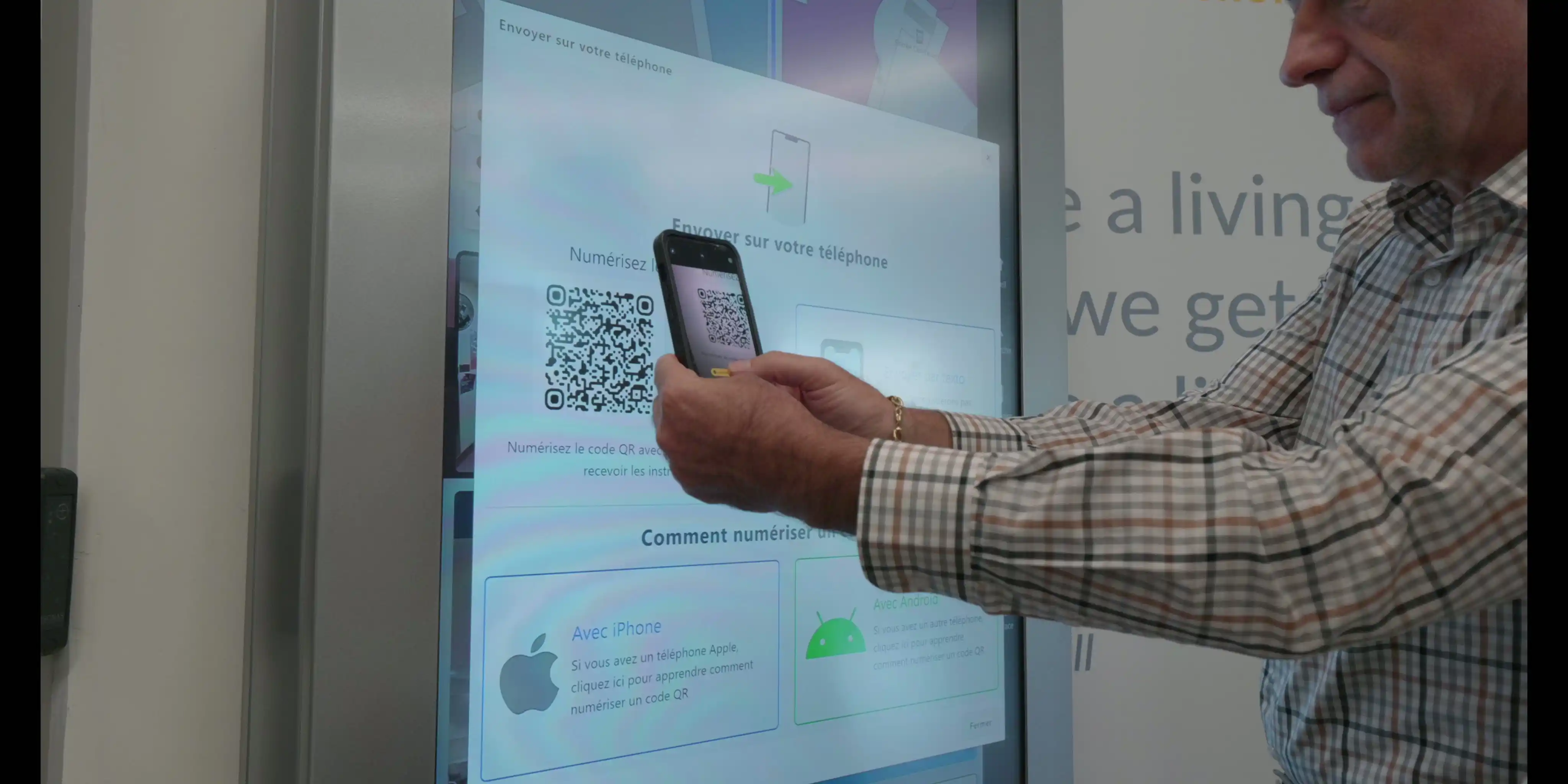
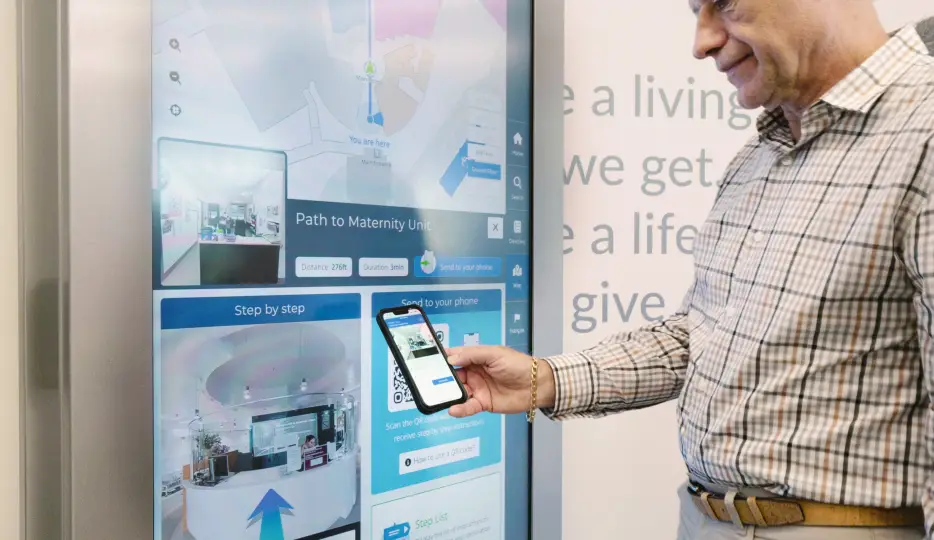
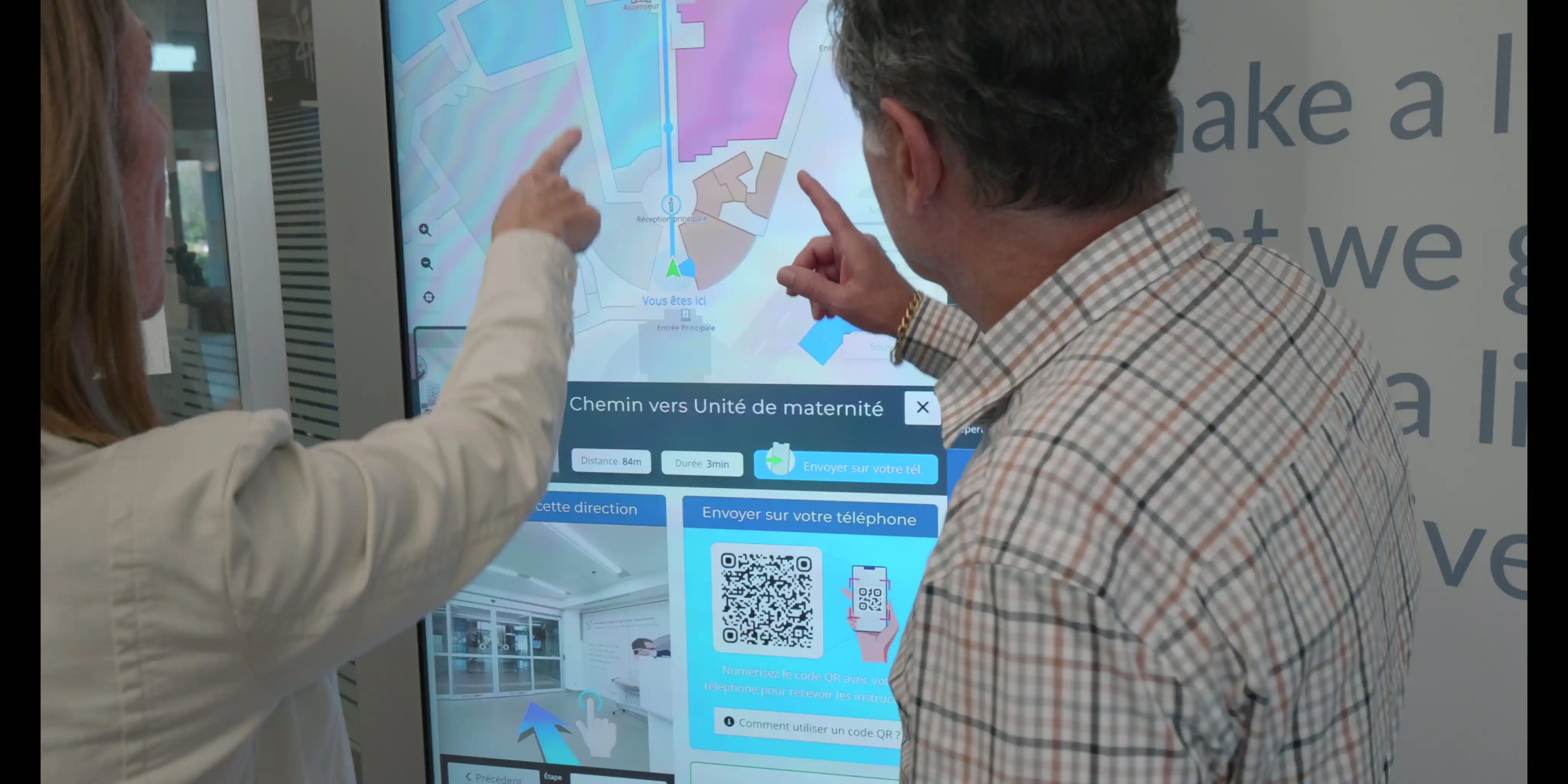
The kiosk does not hand a patient a paper map. It shows the route on a large screen, then displays a QR code. The patient scans it and the full itinerary opens on their phone: every turn, every 360 view, the distance to the next landmark, and the option to continue by SMS if they prefer. They walk away with the guidance, not a memory of it.
That handoff is the point. Once the directions are on the phone, the kiosk has done its job. The phone is the device that does the guiding.
Scan a QR code posted at the parking exit, at a nursing station, on an appointment letter or next to the radiology door and the phone opens the identical wayfinder the kiosk runs. Same map, same 360 views, same step-by-step mode. No app to download, no account to create. The web application loads in the phone's browser in a few seconds.
So the question for a facility is not "kiosk or QR code". It is "where do patients get lost, and what is the cheapest way to put the wayfinder in front of them at that exact spot". Sometimes the answer is a 55-inch kiosk at the main entrance. Most of the time, the answer is a printed code at chest height.
A kiosk is a capital purchase: screen, PC, enclosure, electrical work, network drop, installation and a warranty. It is the right tool at a high-traffic entrance where people arrive without a phone in hand, or where accessibility rules require a fixed terminal.
A QR code is a sticker, a plaque or a line on a letter. Eye-In generates a unique code per location, so each code opens the wayfinder already knowing where the patient is standing. A hospital can place fifty of them for less than the cost of one kiosk enclosure, and move them the day a department relocates. When a clinic moves from pavilion B to pavilion D, the code stays on the wall and the route updates in the management platform. Nothing is reprinted.
Interactive kiosk | QR code entry point | |
|---|---|---|
| What the patient sees | Full wayfinder on a large touch screen, then QR handoff to phone | Full wayfinder on their own phone, already located |
| Route, 360 views, step-by-step | Yes | Yes, identical |
| Hardware per location | Screen, PC, enclosure, power, network | None |
| Installation | Electrician, network, mounting | Print and post |
| Typical deployment | 1 to 4 per site at entrances and hubs | Dozens per site: parking, elevators, letters, nursing stations, patient rooms |
| Relocation of a department | Updated centrally | Updated centrally, same code stays in place |
| Best use | First orientation on arrival, accessibility terminal | Guidance everywhere else, including before the visit |
Each scan is logged by location. The usage dashboard shows which codes are scanned most, at what hour, and which destinations people search for, which tells facilities where the signage is failing and where the next kiosk, if any, belongs.
Kiosks, QR codes, SMS links and the desktop version all read from the same indoor map and the same content management platform. A room number change, a new clinic or a closed corridor is edited once and is live everywhere within minutes. This is what keeps the operating cost low as a hospital adds entry points: the fiftieth QR code costs the same to maintain as the first, which is nothing.
The solution already guides users at the MUHC Glen site with Eurêka and at Lakeshore General Hospital, where more than two years of usage data feed the cost-benefit analyses. The same model applies to a multi-site CISSS or CIUSSS: one map per facility, one platform for the whole network, and QR code entry points wherever users get lost.
Most facilities begin with one or two kiosks at the main entrances, QR codes on appointment communications and in elevator lobbies, and the 360 photo survey of the main routes. From there, the scan data guides the additions. Request a demo and we will map the entry points for your facility.
Join leading healthcare institutions that trust our award-winning Wayfinder.
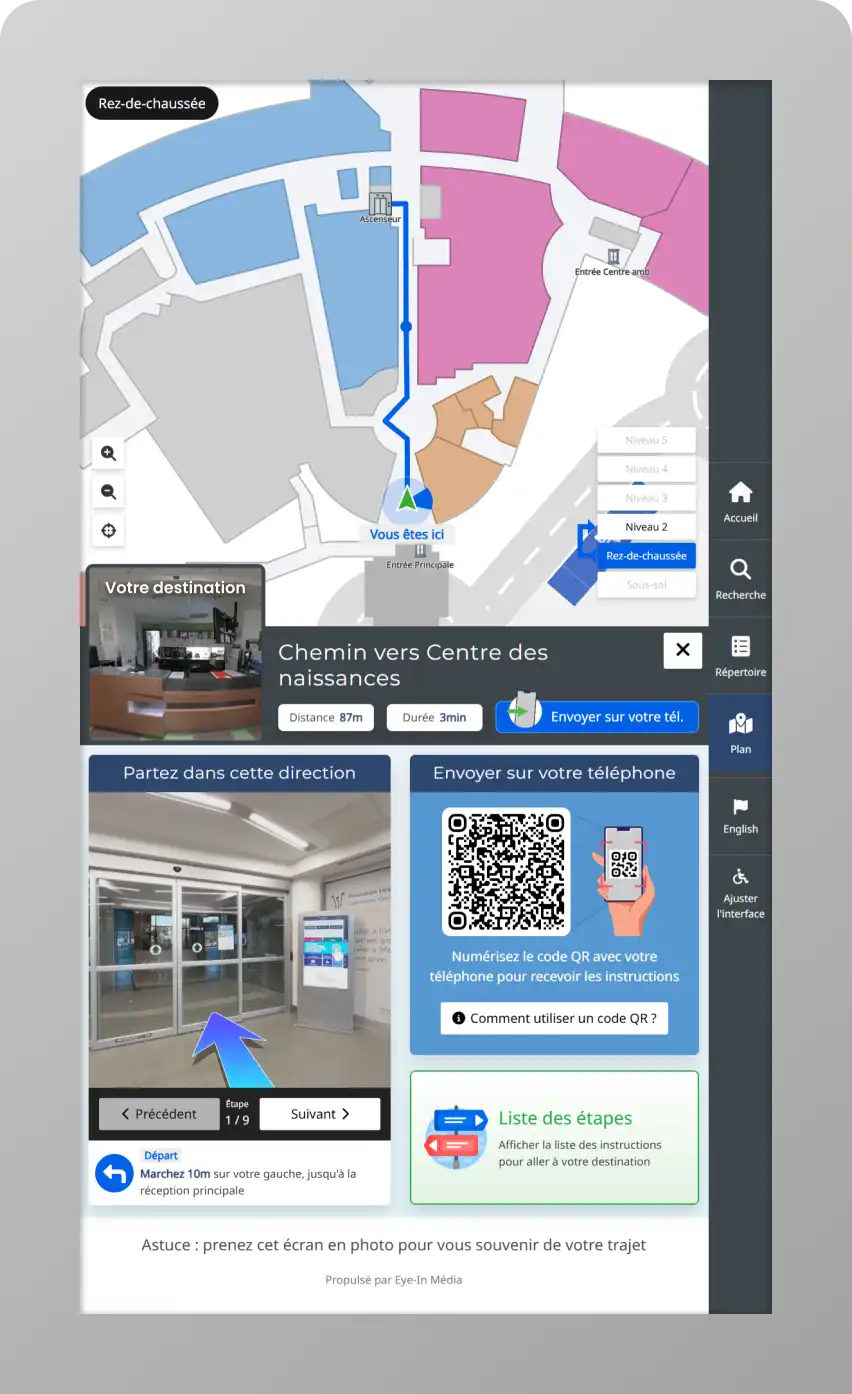
Eye-In Media is proud to announce the launch of its next-generation healthcare wayfinder kiosk, equipped with a Mobile Navigation Assistant for hospitals and clinics like Lakeshore General Hospital (CIUSSS West Island of Montreal). The solution guides patients to appointments, and integrates with EHR systems for seamless healthcare experiences.
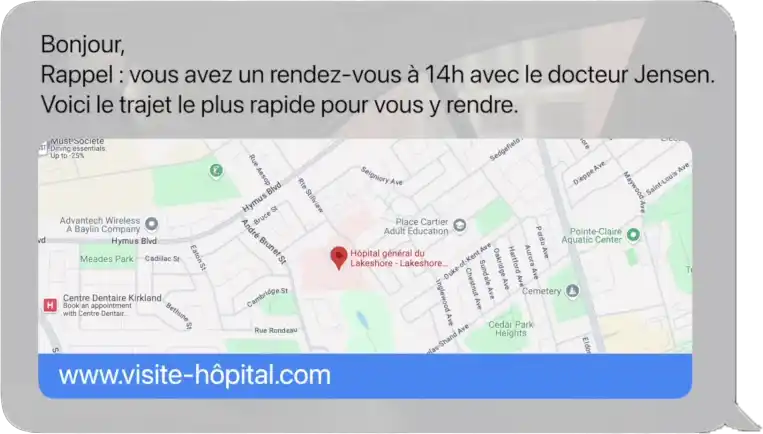
Thanks to many accessibility features, and a user friendly step-by-step guiding assistant powered with Augmented Reality, Eye-In Media was able to improve the visitor experience. We recently went a step even further by integrating with the RDV system SMS and emails. Patients will now receive automatically their path in the confirmation SMS and email!
With 360° imaging and augmented reality, our healthcare wayfinder system guides users through medical facilities using virtual arrows and realistic landmarks. This advanced technology makes hospital navigation easy for all, supporting improved patient flow and a positive care journey.

Thanks to a combination of sensors such as Wi-Fi network scanning (without requiring connection), our Wayfinder provides Blue-Dot Navigation indoor. While no additional hardware is required, the system is also compatible with BLE Beacons (Bluetooth Low Energy) for an even more precise experience.
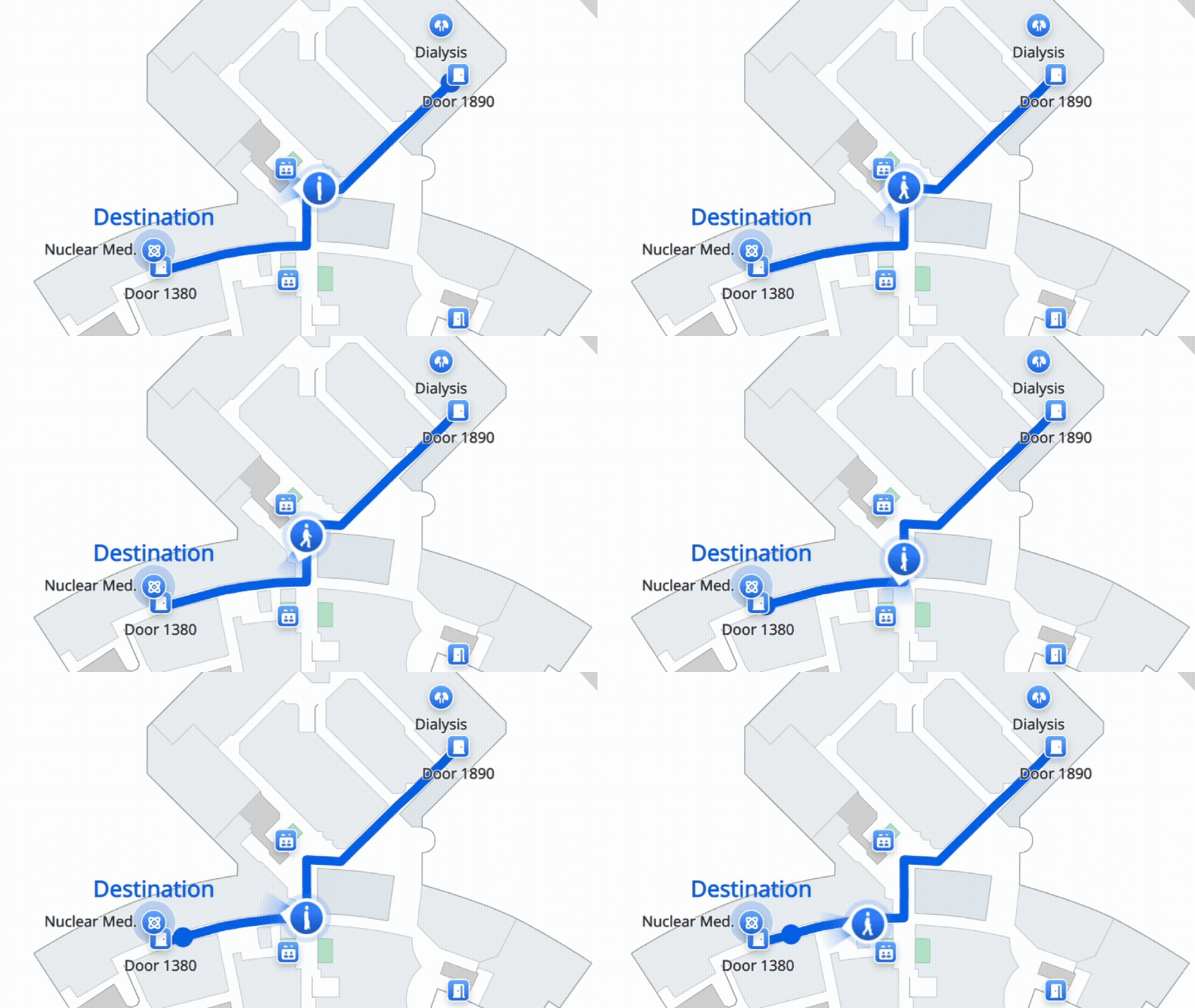
Multi-Device Support allows users to access 3D navigation with augmented reality wherever they are. From home, it helps identify key hospital landmarks before arriving; on a mobile phone, it provides intuitive real-time guidance, and on touch screens, users can preview the environment before heading to their destination.
Speak to one of our experts
Our team digitizes your existing hospital and clinic maps, streamlining visuals to match your healthcare brand. The result: a scalable, interactive vector map optimized for use on hospital touch screens, mobile devices, and self-service stations. Every map is validated on-site for accuracy, ensuring patients and staff receive reliable directions within your healthcare facility.
Digital healthcare wayfinder replace traditional printed hospital maps, reducing costs and ensuring real-time updates. Your interactive map can display multiple layers of healthcare information—for example: clinical departments, emergency routes, service locations—offering tailored navigation for different audiences, including patients, visitors, and healthcare staff.
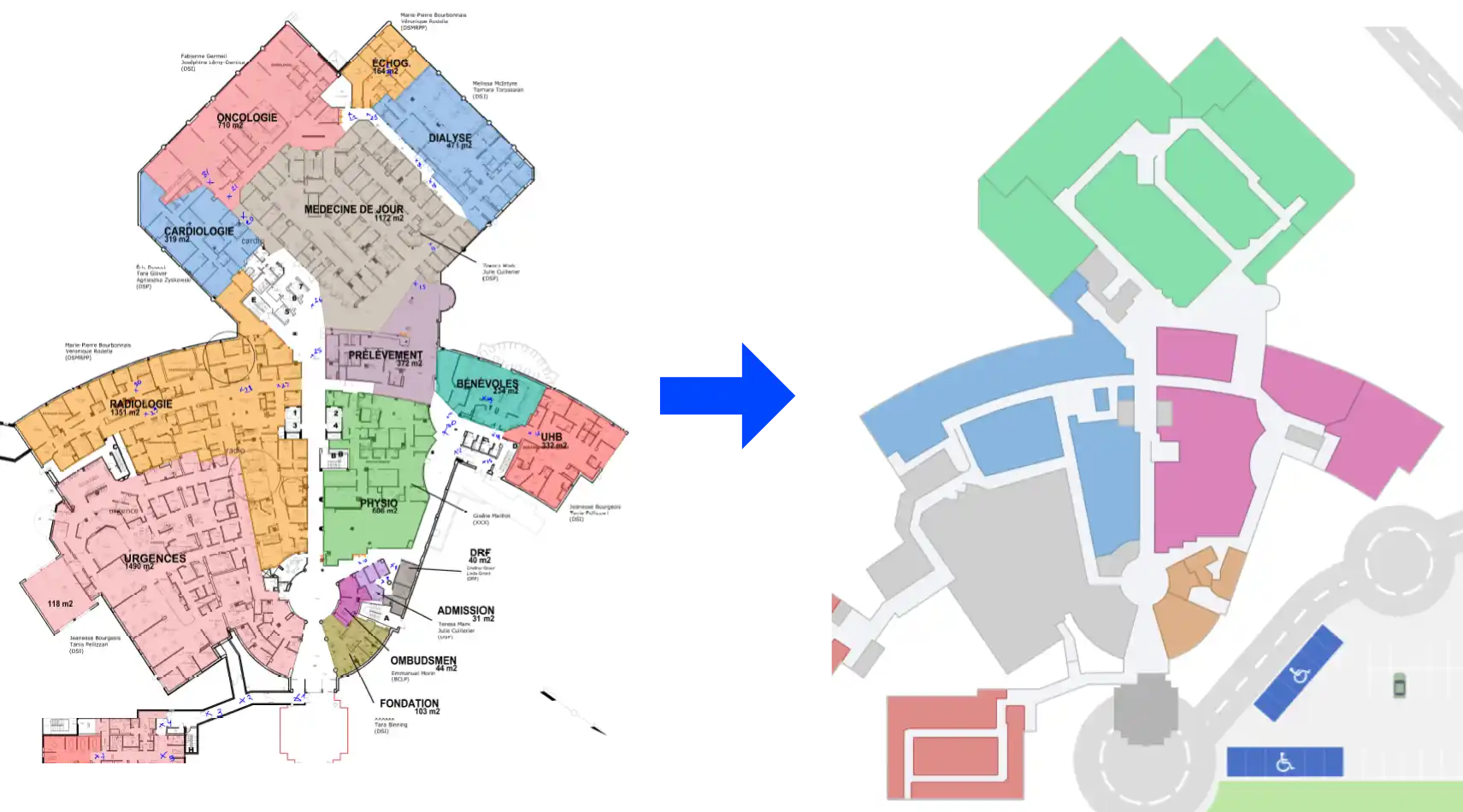
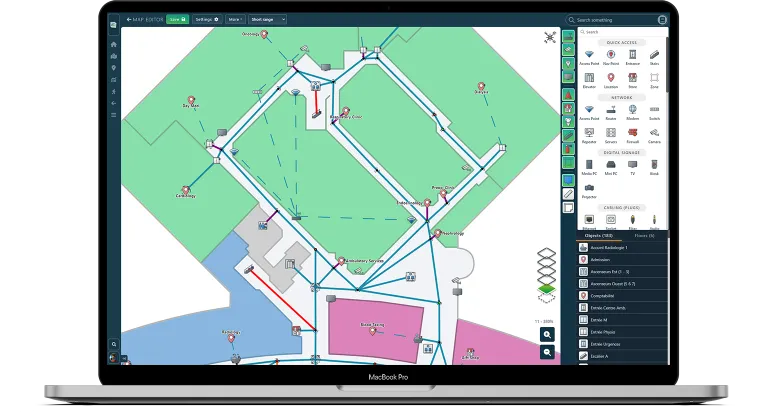
Our indoor mapping software transforms any hospital or clinic floor plan into an interactive healthcare map. Integrated with your hospital navigation platform, our solution supports patient wayfinding, clinical workflow optimization, facility management, and emergency planning. The floor plan editor allows authorized staff to update departments, service locations, or pathways directly, ensuring patients and staff always have access to the latest hospital navigation information.
Help every patient, visitor, and staff member navigate healthcare facilities with more confidence through accessible kiosks, digital directories, check-in, and mobile wayfinding.
From high-contrast interfaces and multilingual support to voice guidance and wheelchair-friendly routes, Eye-In solutions are designed to reduce barriers across complex hospitals, clinics, and care networks.
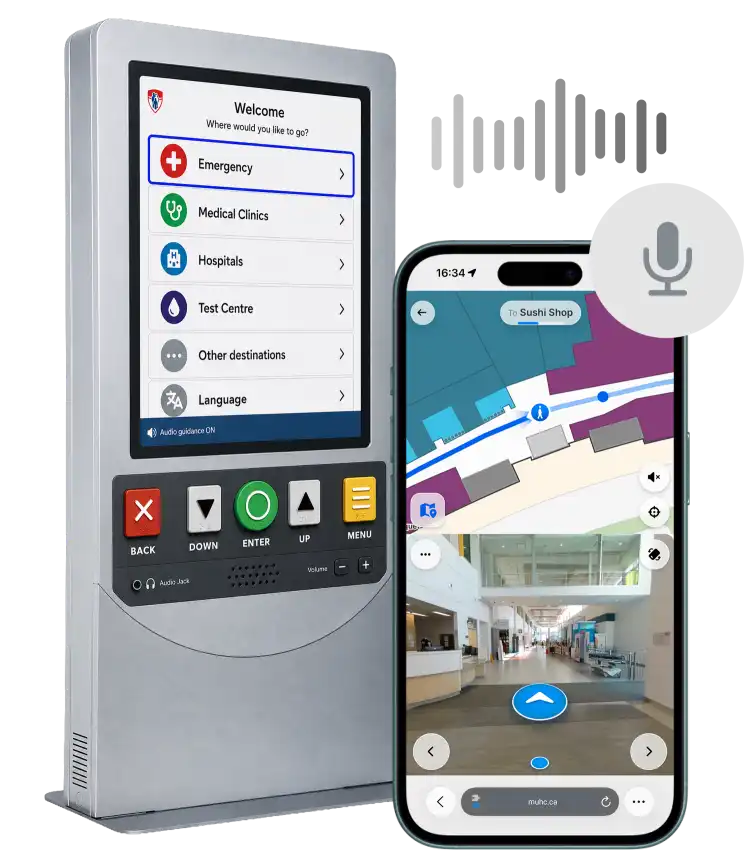
Effortlessly integrate our Wayfinder with your appointment reminder system to streamline patient visits. With a few clicks, connect our solution to send directions alongside appointment reminders, guiding patients directly to their destination. This integration improves arrival accuracy, reduces stress, and enhances the visitor experience.
The navigation system features multiple ways to transfer the path and instructions to the visitor smartphone: Smart QR codes and SMS are the most popular.
Our Wayfinder is powered by our Digital Signage software, and provides many complementary features that allows to broadcast advertisement.
Interactive hospital displays can have a rotating advertising banner located at the bottom or top of the screen. Dedicating a portion of the interface allows to permanently broadcast content that bring revenues to the establishment.
This combination of Wayfinding Digital Signage allows to generate quickly a return on investment, and promote the service at the same to increase it's adoption. To go further, touch screen kiosks can also broadcast interactive advertising managed through the same content management system.
Wayfinding Digital Signage Software combine all the features for interactive kiosks and traditional digital signage solutions, such as the ability to schedule content and the kiosk itself, which allows to customize the screen after a certain hour, or even during special events.
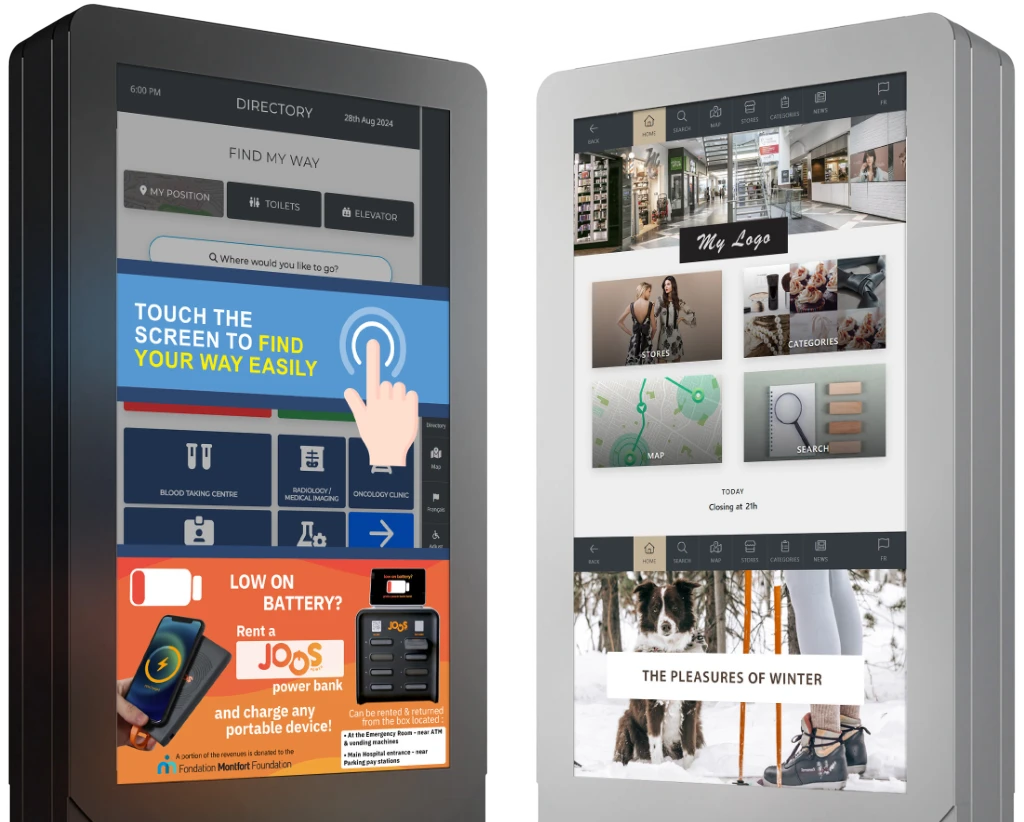
Clear visual and auditory directions, guiding users through the hospital from start to finish. With real-time updates, digital signs and 3D landmarks, it ensures a smooth and effortless navigation experience.

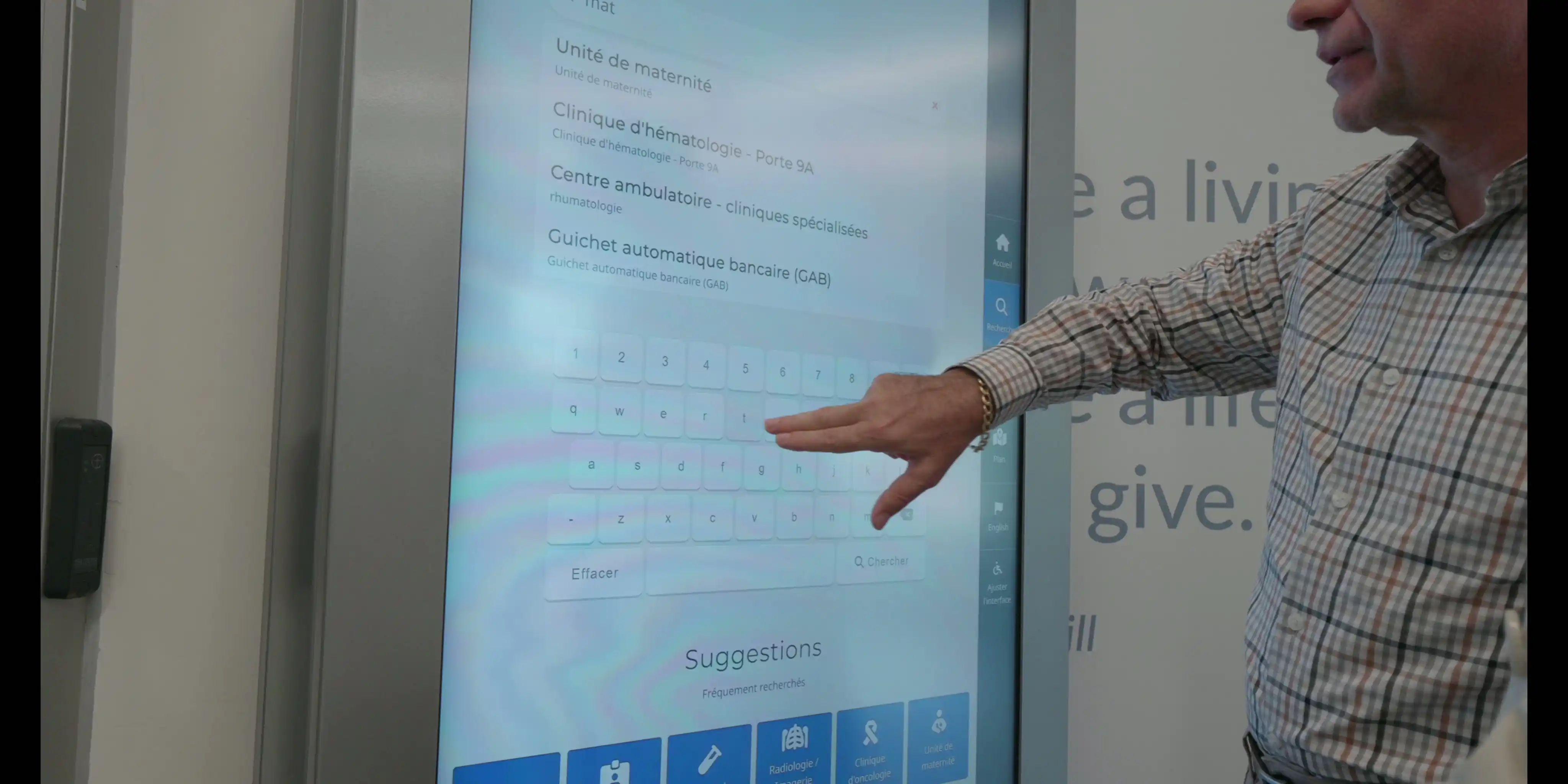
Quick access to departments by typing keywords like “baby”, instantly redirecting users to Maternity Unit or Birthing Center. Smart suggestions and synonym recognition simplify the search for efficient navigation.

Provides immersive, real-time navigation using 3D visuals and AR, guiding users through hospitals with virtual arrows and landmarks for intuitive orientation.
Access the step-by-step navigation on kiosks, mobile devices, or desktops for seamless guidance at home, on-site, or on-the-go.
Each path can generate a unique QR Code, allowing you to find your way around on your phone even after you've left the kiosk.
Our Hospital Wayfinder supports multiple languages, provides audio description, and the interface can resize for people with reduced mobility.
By automating wayfinding, the hospital navigation system reduces the time employees, security guards, and receptionists spend guiding patients and visitors through the facility. This frees up staff for more valuable tasks—like taking calls or focusing on safety—while ensuring everyone finds their destination easily.
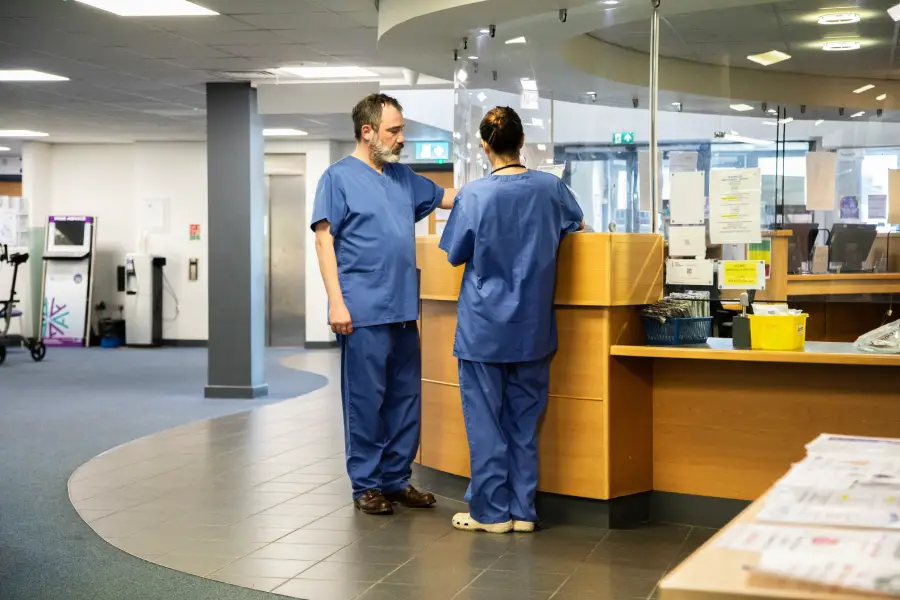
Digital wayfinding saves costs by replacing traditional printed maps with easily updatable hospital displays. This not only reduces printing costs but also ensures that the information provided is always up-to-date. Integrating these displays into existing systems streamlines operations and improves overall efficiency.
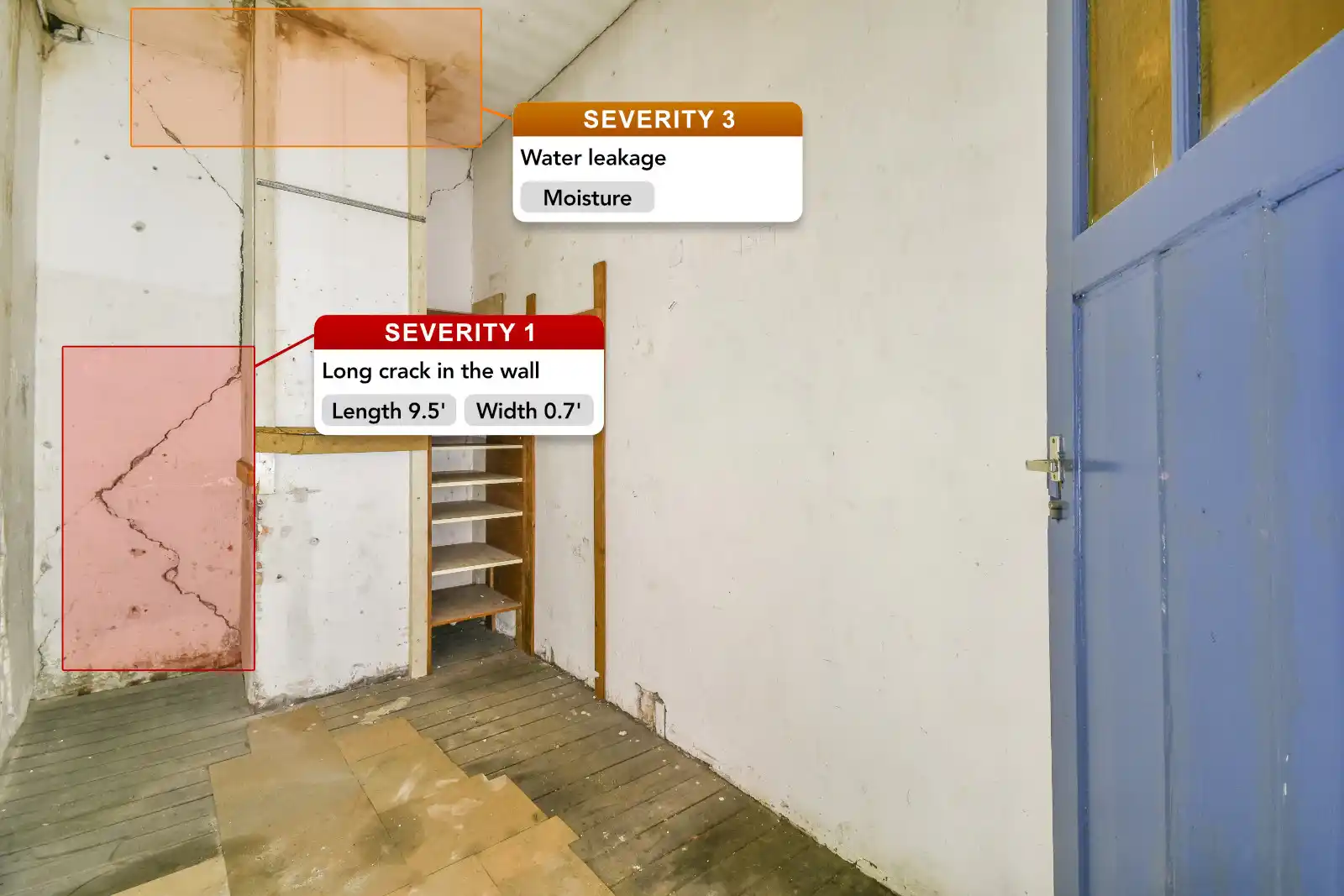
Wayfinding Maps can also be used to project future construction project, and even preview the potential impact on the visitor traffic flow in advance. Effective collaboration between different teams is key for great indoor signage, that's why multiple versions of the same floor plan can be done, shared, commented and reviewed to find the best solution and ensure smooth transitions, while reducing the impact on visitors as much as possible.
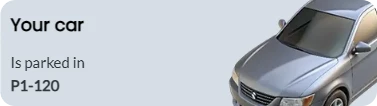
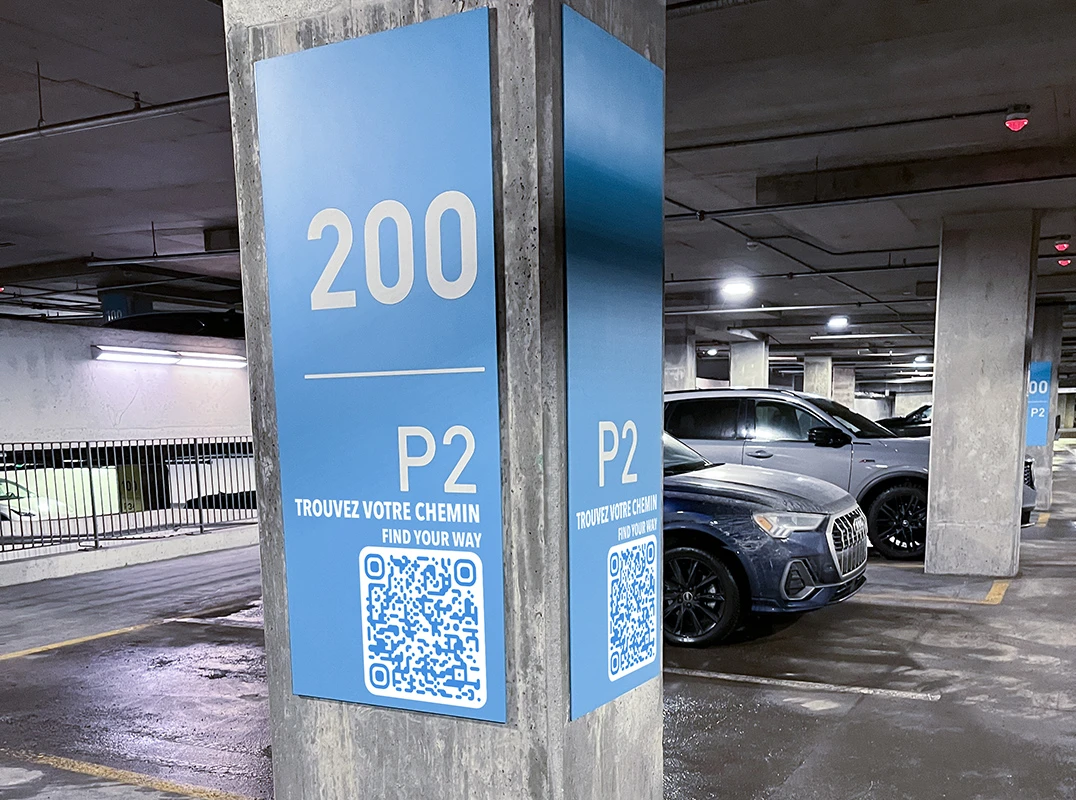
Patients & Visitors can register the location of their car automatically by scanning a QR Code within the Parking itself. Not only they gain access to the Wayfinder, but this also provides a button to go back to their car.
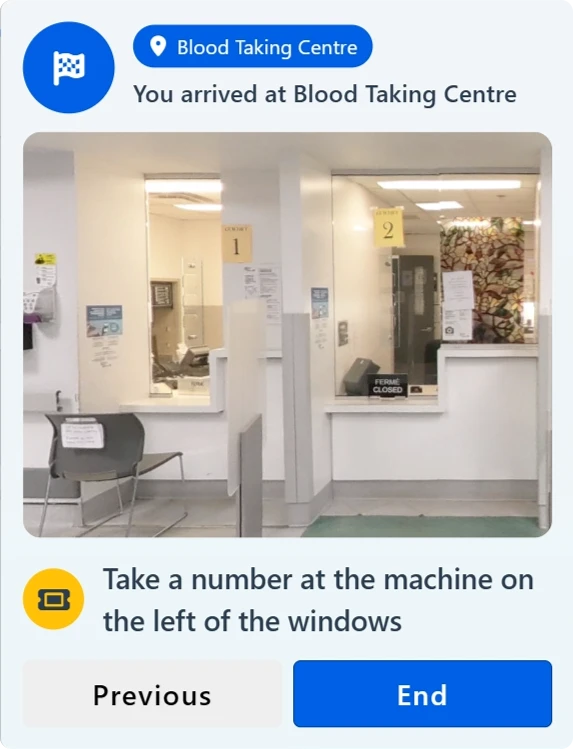
Add specifics instructions at any step to guide patients, provide any information document or checklist to complete. A complete news feed is also available to provide the latest information to visitors & patients.
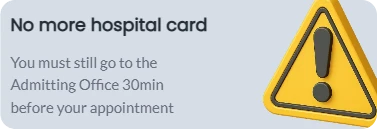
Documents checklist, pre-requisites steps and procedures can also be integrated within the wayfinder to ensure patients don't need to go back and forth simply because they are missing one paper, or forgot one important step.
Multiple communications features are built-in the wayfinder, to collect review & feedback, report any error or to fill surveys related to one or multiple services.
User's commitees can receive a dedicated access to certain portions of the wayfinder to be able to communicate directly with patients. This allows both to transmit information and to ask questions directly.
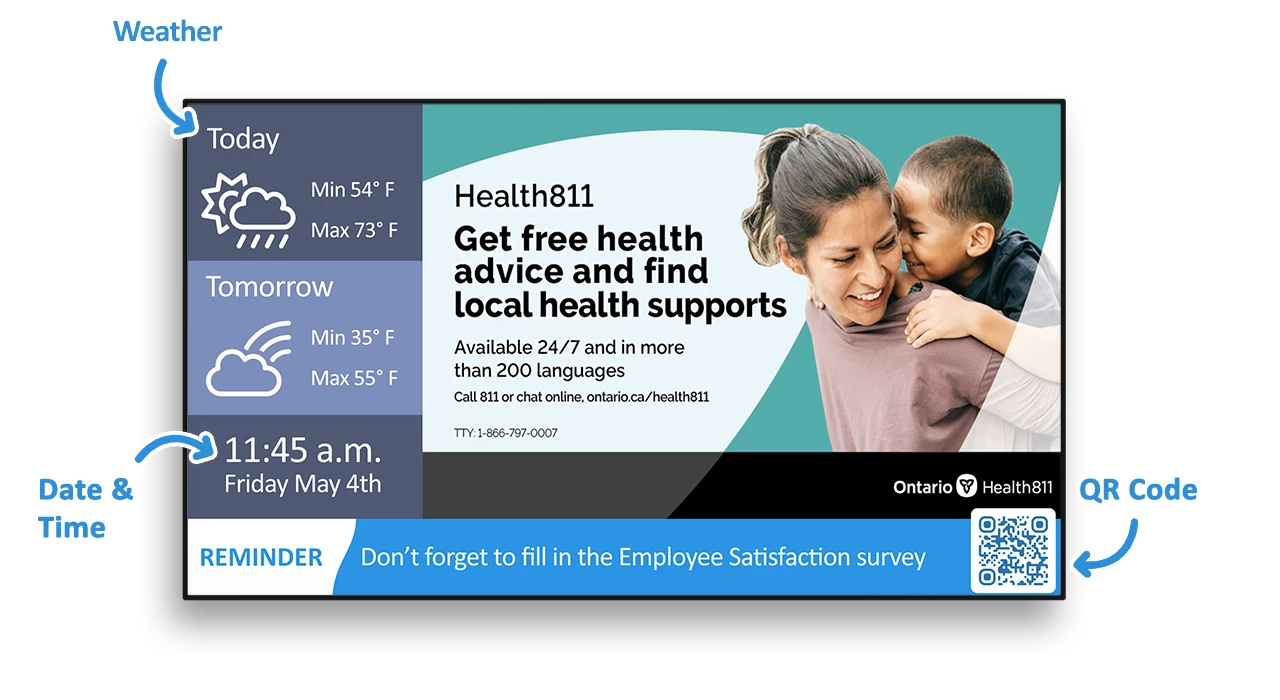
With our healthcare digital signage, your facility can instantly share emergency messages, promote public health campaigns, display patient queue information, or highlight critical updates. All content is managed from a secure, centralized platform—ideal for hospitals, clinics, and medical campuses.
Our universal application offers seamless navigation on touch screens, mobiles, and desktops, ensuring consistent guidance across all devices.

Installation, configuration, content creation, support, mobile applications etc.

No programmer or graphic designer required even to integrate external feeds (ex trivia, RSS feeds, traffic, weather)

Client satisfaction is the most important at Eye-In Media

Our software is always evolving with improved features and functionalities
Generate QR Codes for your content directly within the application
The Eye-In wayfinding solution offers three entry points to the same route: a touch screen kiosk in the lobby, a QR code displayed anywhere in the facility, or a link sent with the appointment confirmation. Whichever access they choose, patients get the same map, the same 360 views and the same step by step directions on their own phone, with no app to download and no account to create.
The patient searches their destination by department, clinic or room name, on the kiosk or directly on their phone. The Wayfinder calculates the route and shows it step by step: at every turn, a 360 photo shows exactly what the patient will see on site, all the way to the door. The route can also be shared by SMS or prepared before the visit, from home.
Yes. The Wayfinder is fully customizable. Room names, departments, and points of interest can be updated instantly, without downtime or redevelopment. This ensures the system always reflects your hospital’s current layout and operational needs.
Our Wayfinder is designed for dynamic healthcare environments. Room names, functions, and locations can be updated in real time as changes occur, ensuring patients, staff, and visitors always have accurate navigation information.
Hospitals often go through continuous change, and our system is built for exactly that. Mapping can be updated incrementally as construction progresses, allowing temporary closures, detours, and new areas to be reflected immediately in the system—without waiting for a final building layout.
We offer flexible deployment options. We can provide fully integrated touch-screen hardware as part of a turnkey solution, or we can integrate with third-party hardware if your organization already has preferred vendors or procurement standards.
Implementation timelines vary depending on facility size and complexity. We typically align deployment with your project phases to ensure a smooth rollout, especially in environments with ongoing construction or multi-stage openings.
Yes. The system is designed for continuous updates. Content, maps, and navigation routes can be modified at any time, ensuring the platform evolves with your facility over time.
Yes. The QR code opens the same web application the kiosk runs, with the same indoor map, 360 views and step-by-step directions. The only difference is the screen size and the fact that the phone travels with the patient.
So the patient takes the directions with them. Scanning the code transfers the full itinerary, including the 360 views of each turn, to the phone. The kiosk orients; the phone guides.
360 photos show the real corridor, elevator or clinic door at each step of the route, the way Google Street View shows a street corner. Patients recognize the place when they reach it instead of interpreting a floor plan.
Yes. A QR code requires no hardware, no electrical or network work and no installation. A hospital can deploy dozens of location-aware codes for less than the cost of a single kiosk, and most sites combine a small number of kiosks at entrances with QR codes everywhere else.
No. The code opens a web application in the phone's browser. Nothing is installed and no account is required.
Yes. The written directions and the interface are available in multiple languages, and the 360 views can be understood without any text.

Help students and visitors find buildings, labs, and events with accessible routes and seamless mobile handoff.
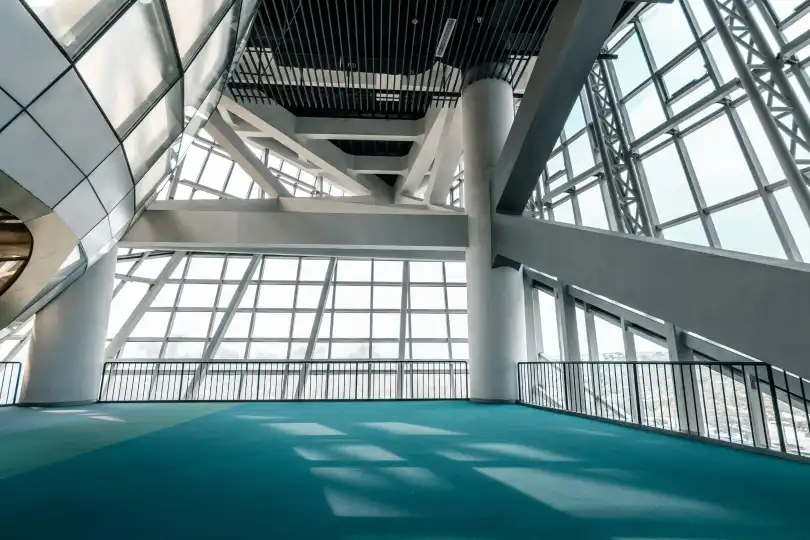
Handle changing floor plans with dynamic routing to halls, sessions, and exhibitors—plus scan-to-mobile maps.
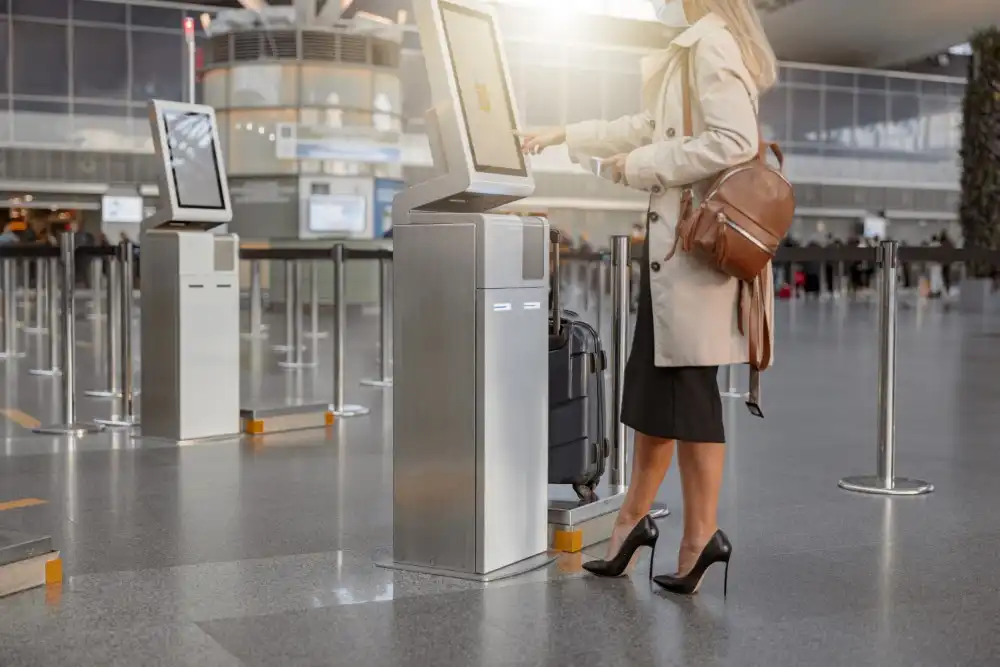
Guide passengers from curb to gate with real-time directions, service alerts, and multilingual support.
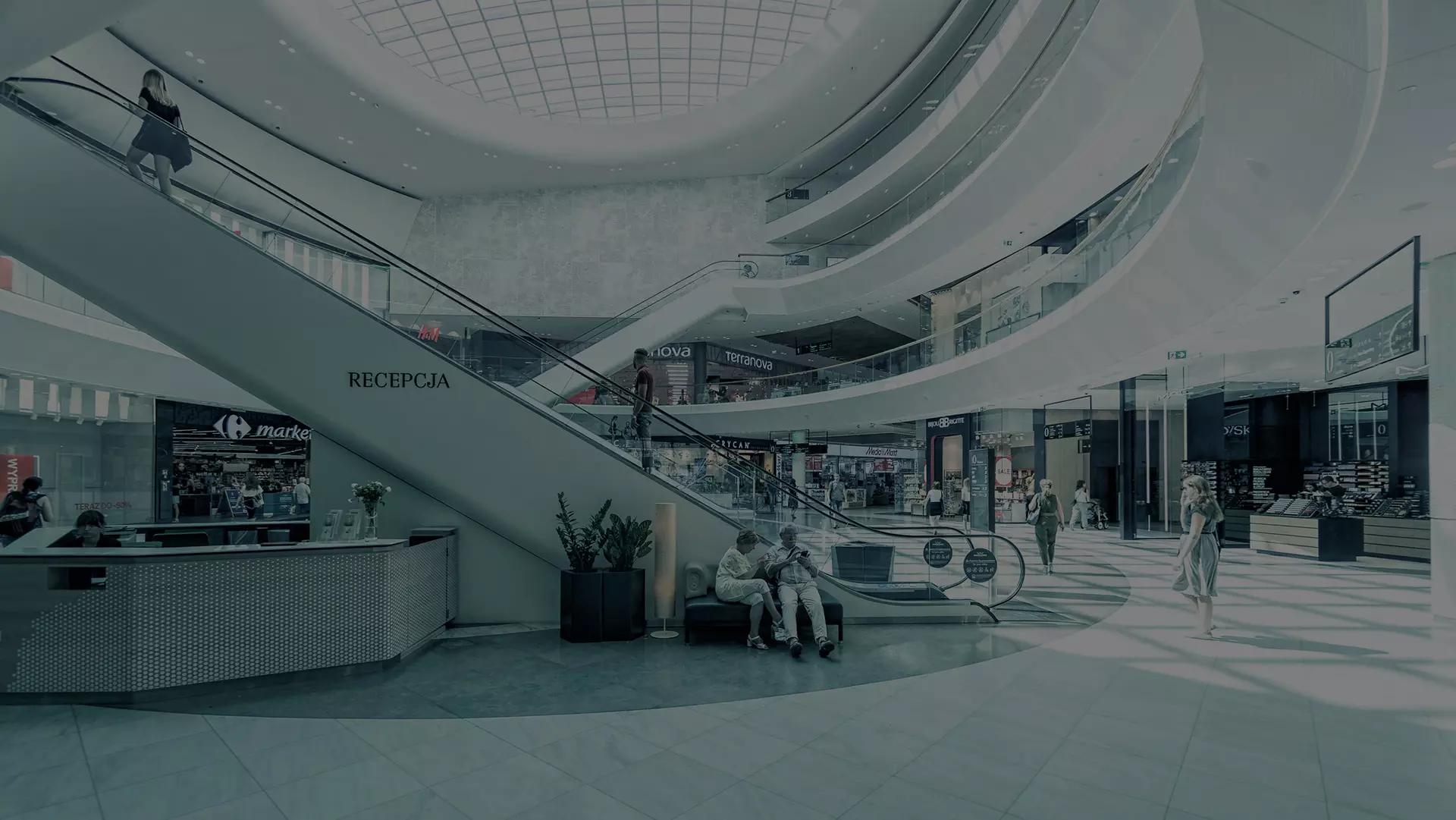
Drive store discovery and footfall with instant search, step-by-step routes, and promotions along the path.