
Digital Signage, Menuboards, Kiosks & Holograms
Transform Bus Station Communication
Advanced Digital Signage for Bus and Coach Stations
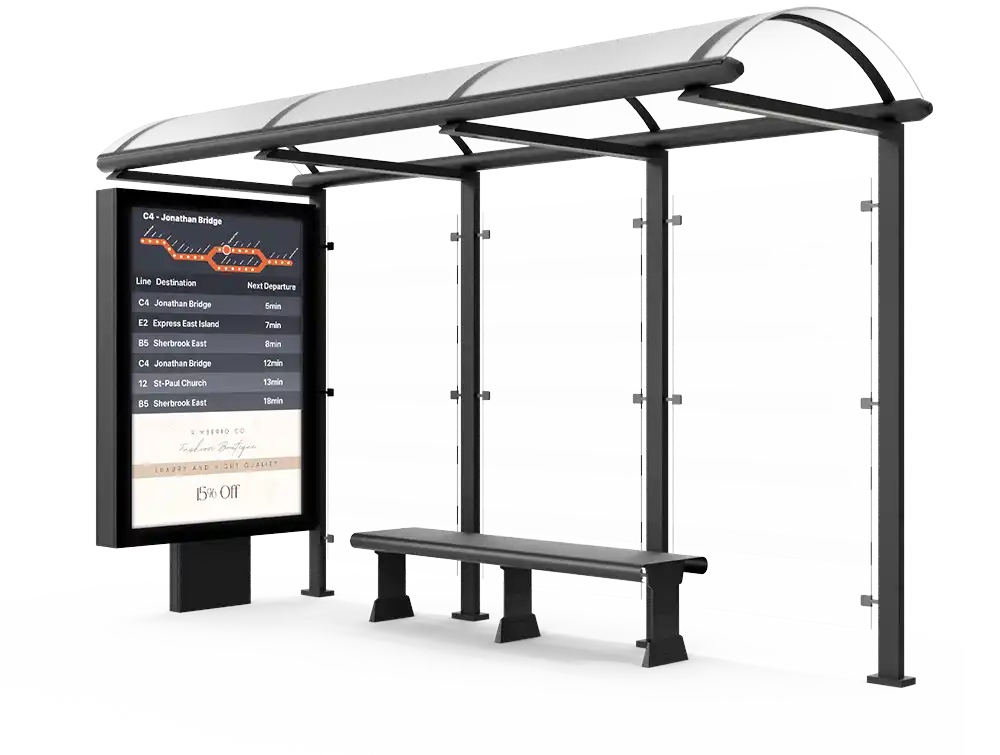
Improve passenger experience at bus and coach stations with advanced digital signage. Display real-time schedules, route updates, and announcements on high-definition screens. Seamlessly integrated with transit systems, our solution ensures accurate, up-to-date information, enhancing station management and traveler satisfaction.






Over 20 Years of Digital Signage Innovation
At Eye-In Media, we believe that true digital transformation happens when technology, content, and strategy align. For over two decades, we’ve delivered cutting-edge digital signage solutions by mastering every layer of the ecosystem—from hardware integration to content management and customer support.
A Proven, All-in-One Digital Signage CMS
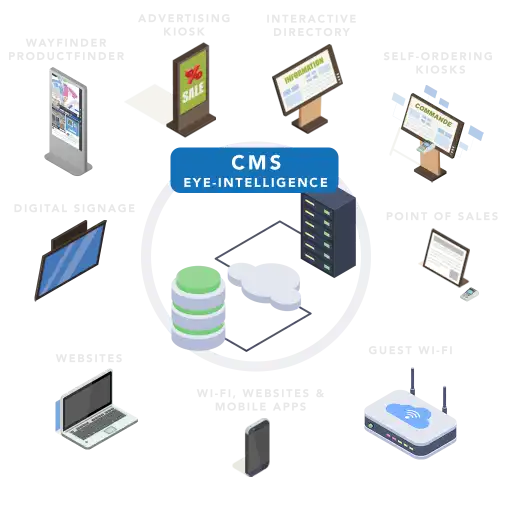
Our flagship platform, Eye-In Media Digital Signage, is more than just software — it’s a fully integrated digital signage CMS built for performance, scalability, and ease of deployment. Developed through years of collaboration with high-profile clients, our proprietary content management system is designed to meet the demands of enterprise, retail, healthcare, education, and public sector environments.
Whether you’re managing one screen or thousands across multiple locations, our digital signage CMS gives you full control over content scheduling, display networks, real-time updates, and analytics—all from a centralized, intuitive dashboard.
Canada’s Pioneer in Nationwide Digital Signage Networks
As the first Canadian company to deploy coast-to-coast retail digital signage networks, Eye-In Media brings unmatched experience to your project. Our turnkey solutions include:
- Custom hardware deployment
- Specialized installation and integration services
- High-impact content creation
- Centralized cloud-based CMS
- Advanced monitoring and support tools

We don’t just connect screens—we design and deliver immersive digital experiences that enhance brand visibility and customer engagement.
End-to-End Execution With Measurable Results
Eye-In Media is more than a software provider—we’re a strategic partner. We manage the entire lifecycle of your digital signage project, ensuring on-time and on-budget delivery. With our hands-on approach and deep technical expertise, we help organizations reduce friction, accelerate rollout, and achieve a faster return on investment.
From single-location pilots to multi-site national deployments, we bring precision, consistency, and marketing impact to every screen.
Why Choose Eye-In Media for Your Digital Signage Needs?
Over 20 years of industry leadership
Proven digital signage CMS tailored to your environment
Turnkey project delivery with full hardware and software integration
Unmatched content design and scheduling flexibility
Real-time updates, analytics, and monitoring
Trusted by marquee brands across Canada and North America


Discover how it works in video
Digital Signage Solution






How do we compare with our competitors?



All-In-One Digital Signage Solution with Samsung Tizen
With Samsung Tizen powered screens and Eye-In Media, Digital Signage becomes so easy. No need to connect a separate Media Player computer to play your content, just plug it into the Internet or use its built-in Wi-Fi.
Our SaaS Content Management and Creation tools will remotely connect and drive your dynamic content. This seamless integration simplifies the installation, deployment and management of a full-featured digital signage solution.
Works in both one-screen environments as well as multi-screen and multi-location environments.

Discover Our Best Selling Package
Try our Corporate Digital Signage Solution
Bring your internal communications to the next level, with our efficient and secure solution for Digital Video Walls and Corporate Signage.
Why choose our package? Our package gives you a piece of mind by buying a reliable solution based on proven hardware and software!
$2,499.99
- Commercial Grade 50" Screen
- Integrated Media Player
- 3 Year Hardware Warranty
- 1 Year Software License
- No Training Required
Other screen sizes and options also available, please contact us.
Benefits of Digital Signage
Cloud Management
Have the absolute freedom to manage your posters remotely as if you were in each store, pushing sales and engaging with the customer.

Digital Content
Control all your current traditional paper marketing collateral with a click.
Multimedia
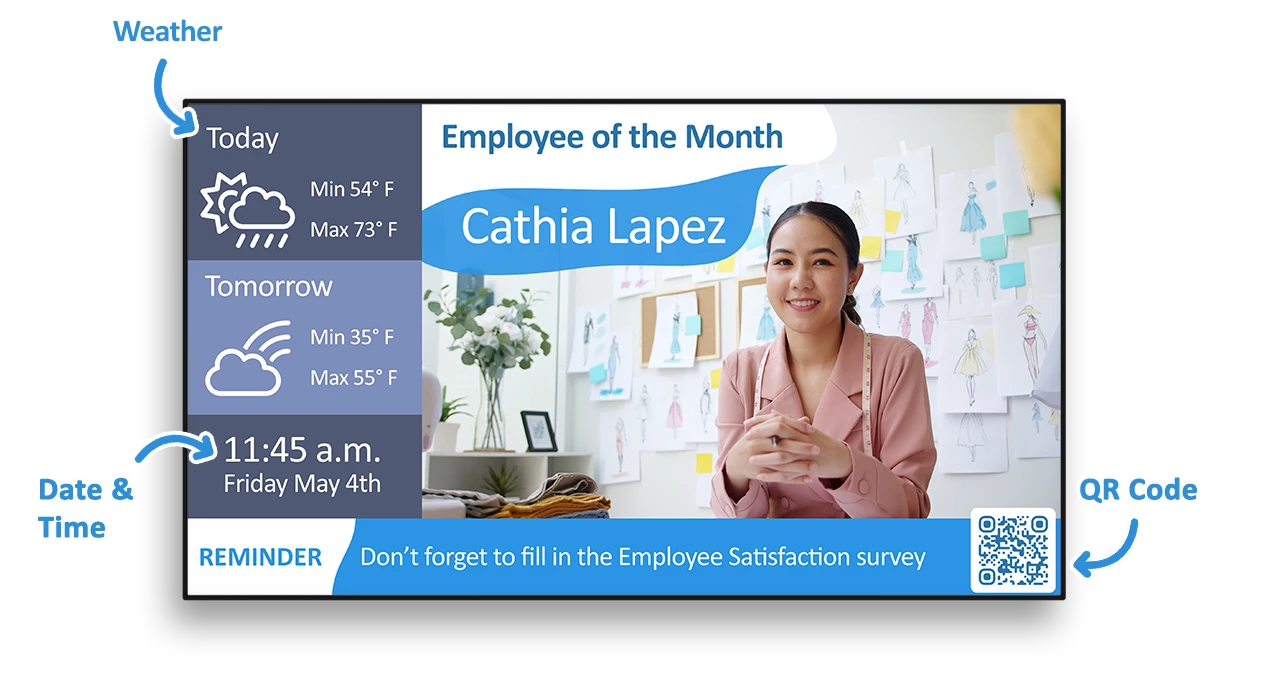
Alternate between multiple images and videos, intermixing trivia, news headlines, sports scores, local weather forecast, and community involvement all on the same screens.

Powerful Scheduler
Have accurate and just in time promotions across all locations.

Entertain and promote
Reduce perceived waiting time by entertaining while promoting your items.
Database Powered
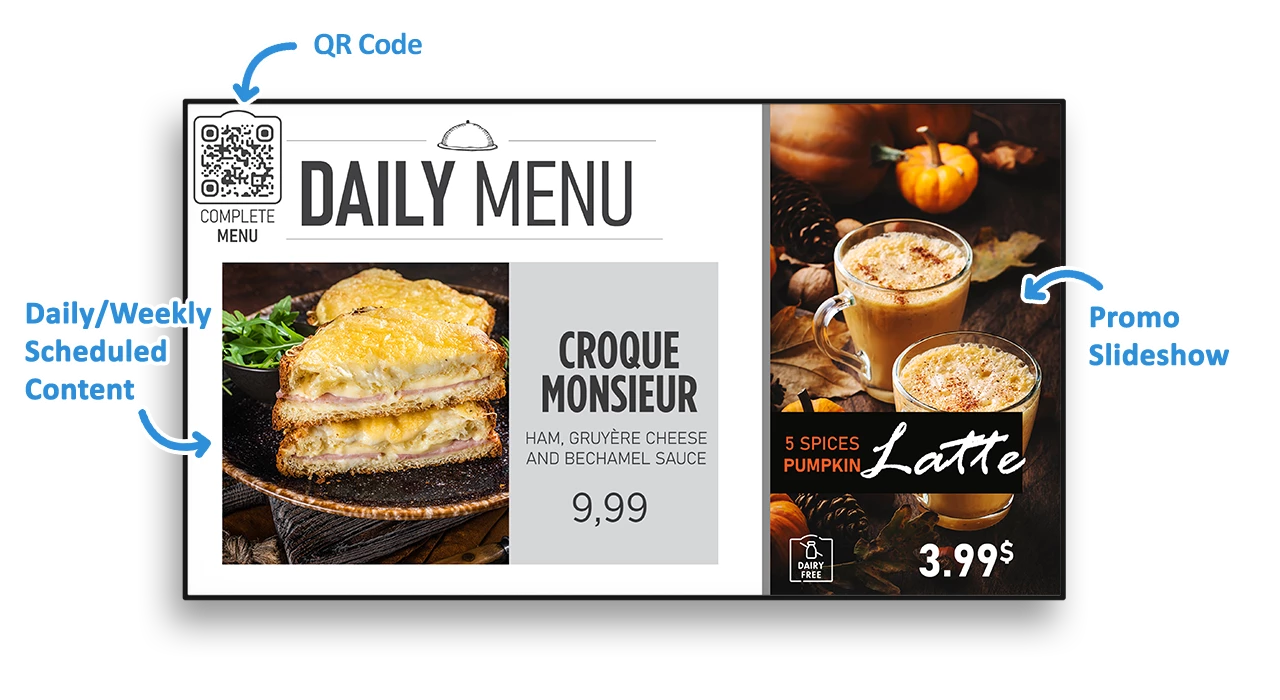
Link your menu to a database to centralize images, description, calories and pricing.
Quick Service Restaurant Example
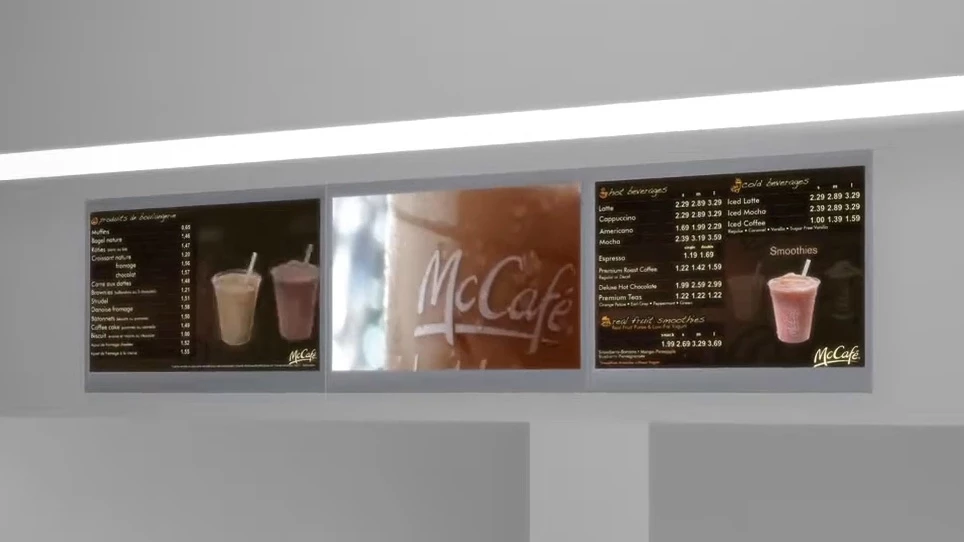
By replacing static Point of Purchase (POP) Displays and menu boards with dynamic electronic menu boards and romance boards, you can achieve everything above and much more. In just a couple of clicks, you can instantly change or schedule sporadic changes to your products, prices, messages and layouts. These can be centralized or decentralized to the extent that your banner controls your branding and franchising policies.
Why choose Eye-In for your Digital Signage?



No Restrictions
There is no limit for the number of screens or storage

Constant R&D
Our software is always evolving with improved features and functionalities
What are the Frequently Asked Questions on Digital Signage
- What are the different ways to display digital media content on screens?
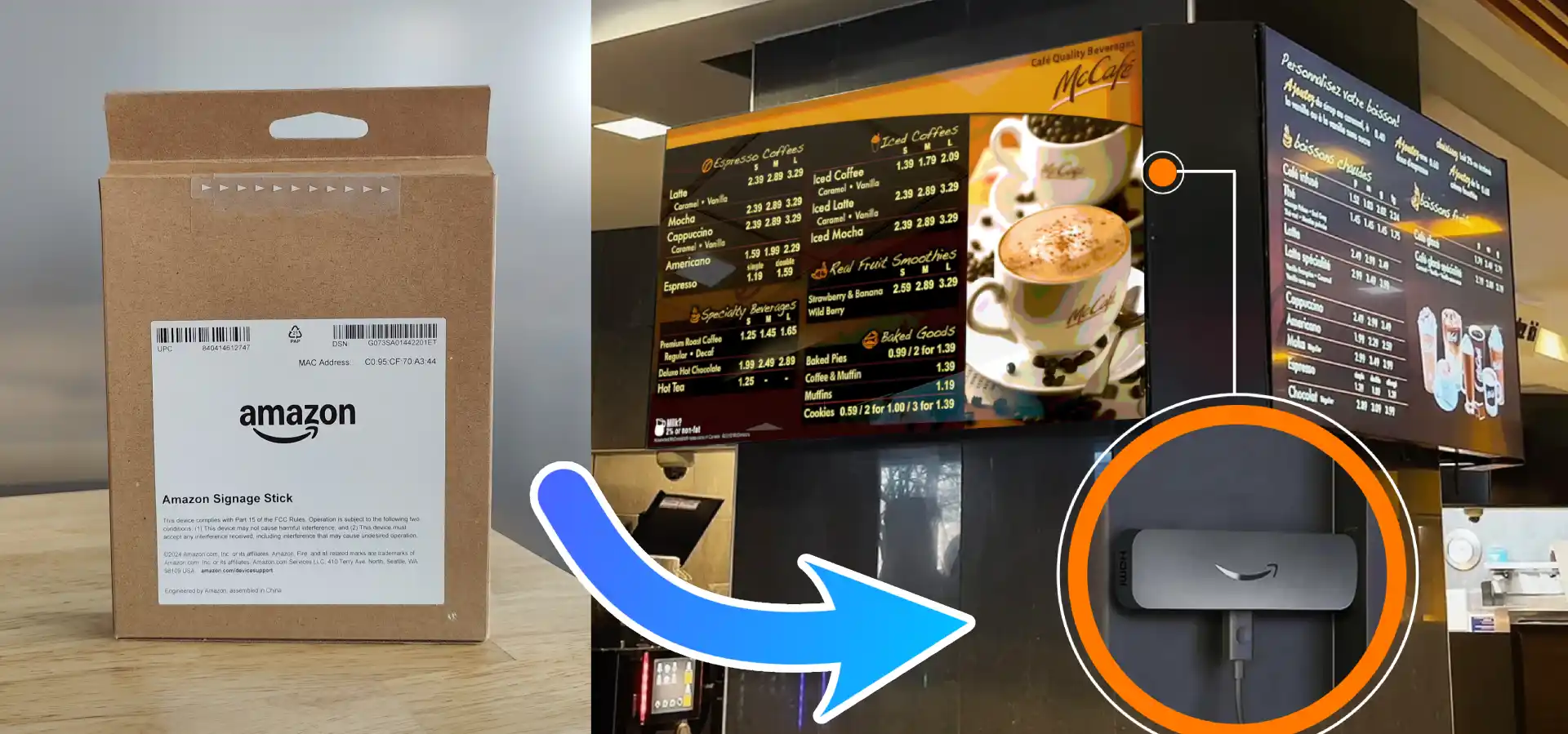
Using USB drives, Smart TVs, media players like the Amazon Signage Stick, or dedicated PCs.
- Which is the most robust way to display digital signage content on screens?
A dedicated PC, thanks to its high performance, cooling, and expansion capabilities, is best for complex content and videowalls.
- How do you decide which media player technologies to use?
Depends on the screen type, content intensity, and layout. Media PCs suit complex needs; Smart TVs or sticks work for simpler setups.
- What is the typical cost of a digital signage Media Player?
USB drives: $10–$50, Amazon Signage Stick: $99.99, Media PCs: $300–$1,500.
- What are the hardware considerations when installing a signage device in a tight or hard-to-access screen setup?
When adding a signage device such as a Signage Stick to a screen that is wall-mounted, part of a menu board, or embedded in a structure, it's critical to evaluate the physical constraints before installation. Ensure that: The HDMI input port is accessible. If the HDMI port is hidden or faces a wall, screen removal may be necessary just to install the stick. A reliable power source is nearby, ideally a USB port on the screen or a power outlet within 5 feet. Wi-Fi signal strength at the installation point is strong, as the Signage Stick needs stable internet access to update digital content. For complex installations (e.g., video walls or tightly packed menu boards), using a media player PC installed in an easily accessible location is often a smarter long-term solution. It minimizes future service interruptions and avoids costly screen removal for maintenance or replacement.
- When should I use a signage stick vs. a media player PC?
Use a signage stick for single, easily accessible screens. For video walls or hard-to-reach displays, a media player PC is more practical, durable, and easier to maintain without screen removal.
- Which OS offers better performance for video wall digital signage?
Linux media players offer better performance for video walls, supporting high-end GPUs and seamless multi-screen animations. Windows players may face GPU limitations in large-scale video wall environments.
- Which media player OS supports better screen synchronization for digital signage?
Linux is optimized for synchronized content transitions across multiple screens, making it ideal for video walls. Windows can support this too, but it typically requires more manual configuration.
- Is Linux or Windows more stable for commercial digital signage?
Linux is more stable with minimal forced updates, ideal for always-on signage. Windows can be less predictable due to frequent automatic updates unless carefully managed.
- Which OS is more efficient for memory and storage in digital signage systems?
Linux is more lightweight and resource-efficient for HD and 4K content. Windows uses more system resources and may require higher-spec hardware to achieve similar performance.
- Which OS is better for touchscreen digital signage?
Windows is better for touchscreen signage due to its extensive native support for peripherals, sensors, and a wide range of drivers. Linux has limited driver support for interactive devices.
- Is Linux or Windows better for digital signage in corporate networks?
Linux is preferred for open signage networks and systems requiring stability. However, Windows is often required in corporate environments due to IT policies or Active Directory integration.